
Mastering Video Oral History Techniques: An Oral History Services Guide
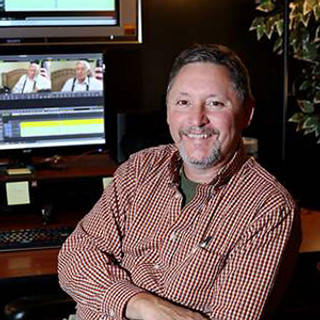
Capturing family stories on video is a wonderful way to preserve memories for generations to come. When done well, video oral histories become treasured keepsakes that bring the past to life. But how do you make sure your recordings are clear, engaging, and meaningful? I’m here to share practical tips and insights to help you master video oral history techniques with confidence.
Why Video Oral History Matters: An Oral History Services Guide
Oral history is more than just recording someone talking. It’s about capturing the essence of a person’s experiences, emotions, and perspectives. Video adds a powerful layer by preserving facial expressions, tone of voice, and body language. This makes the stories feel alive and personal.
Think about your own family. How many stories have you heard that you wish were recorded? Maybe a grandparent’s tale about their childhood or a parent’s memories of a special event. Video oral history lets you hold onto those moments in a way that words on paper simply can’t match.
By learning the right techniques, you can create videos that are not only informative but also deeply moving. This guide will walk you through the steps to prepare, record, and preserve your family’s stories with care.
Preparing for Your Video Oral History Session
Preparation is key to a successful video oral history. Here’s how to get ready:
Choose the Right Location
Pick a quiet, comfortable spot with good natural light. Avoid noisy places or areas with distracting backgrounds. A simple, uncluttered setting helps keep the focus on the storyteller.
Plan Your Questions
Prepare open-ended questions that encourage detailed answers. Instead of asking “Did you like school?” try “What was your favorite memory from school?” This invites richer stories and personal reflections.
Test Your Equipment
Make sure your camera or smartphone is fully charged and has enough storage. Test the microphone to ensure clear sound. If possible, use an external microphone for better audio quality.
Set the Mood
Help your interviewee feel at ease. Start with casual conversation before recording. Explain the purpose of the video and reassure them that it’s okay to take breaks or pause if needed.

Conducting the Interview: Tips for Engaging Storytelling
Once you’re ready to record, keep these tips in mind to create a warm and inviting atmosphere:
Listen Actively
Show genuine interest by nodding and maintaining eye contact. Let the storyteller know you value their words. Sometimes, a gentle prompt like “Can you tell me more about that?” encourages deeper sharing.
Keep It Conversational
Avoid rigid question-and-answer formats. Allow the conversation to flow naturally. If the storyteller veers off-topic, gently guide them back without interrupting their train of thought.
Be Patient
Some memories take time to surface. Don’t rush. Silence can be powerful, giving the storyteller space to reflect.
Capture Details
Encourage the storyteller to describe sights, sounds, smells, and feelings. These sensory details bring stories to life and make the video more vivid.
Mind Your Framing
Position the camera at eye level for a natural look. Frame the shot so the storyteller’s head and shoulders are visible, with a little space above the head.

Editing and Preserving Your Video Oral History
After recording, the work isn’t done. Editing and preserving your video properly ensures it remains accessible and meaningful.
Basic Editing Tips
Trim long pauses or technical glitches.
Add titles or captions to introduce the storyteller or topic.
Balance audio levels for consistent sound.
Avoid over-editing; keep the natural flow intact.
File Formats and Storage
Save your video in widely supported formats like MP4. Back up your files in multiple locations - external drives, cloud storage, or both. This protects your precious memories from loss.
Sharing Your Story
Consider how you want to share the video. Private family viewings, online family archives, or even community history projects are great options. Sharing can inspire others to start their own oral history journeys.
Getting Started with DIY Video Oral History Projects
Feeling inspired to begin your own project? Here are some simple steps to get going:
Start Small - Interview one family member or friend to practice.
Gather Your Gear - Use what you have, even a smartphone works well.
Create a Comfortable Space - Set up a quiet, well-lit area.
Prepare Your Questions - Write down a few open-ended prompts.
Record and Review - Watch your first video and note what worked.
Keep Learning - Explore resources and tips to improve your technique.
If you want professional support, consider video oral history services that can guide you through the process or help with editing and preservation.
Embracing the Power of Storytelling for Future Generations
Every family has stories worth telling. By mastering video oral history techniques, you’re not just recording facts - you’re capturing the heart and soul of your family’s legacy. These videos become treasures that connect generations, spark conversations, and keep memories alive.
Remember, the goal is not perfection but authenticity. Your genuine interest and care will shine through, making each story special. So why wait? Grab your camera, invite a loved one to share, and start preserving your family’s history today.
With patience and practice, you’ll become a confident storyteller, creating archive-quality videos that your family will cherish forever. The journey of mastering video oral history is rewarding, and the memories you save will be priceless gifts for years to come.


Comments